
Is Your Marketing Strategy Outdated? Here’s What to Do

In today’s rapidly evolving digital landscape, marketing strategies that worked just a few years ago may now be falling flat. Consumer behaviors shift, new technologies emerge, and communication channels evolve at an unprecedented pace, leaving many businesses struggling to keep up. If your campaigns aren’t generating the results they once did, or if you’re noticing declining engagement rates and diminishing returns on investment, it might be time to reassess your approach. Recognizing the signs of an outdated marketing strategy is the first step toward revitalizing your brand’s presence and reconnecting with your target audience.

Signs Your Marketing Strategy Needs an Update

Several telltale indicators suggest your marketing approach may be stuck in the past. If you’re still relying heavily on traditional advertising methods without integrating digital channels, you’re likely missing opportunities to reach your audience where they actually spend most of their time. Declining website traffic, reduced social media engagement, and lower conversion rates compared to previous periods are clear red flags that demand immediate attention. Another significant warning sign? When your competitors are consistently outperforming you in search rankings and customer acquisition, indicating they’ve adopted more effective strategies while you’ve stood still.

Understanding Modern Consumer Behavior

Today’s consumers operate in a fundamentally different environment than those of even five years ago. They expect personalized experiences across all touchpoints, from initial discovery through post-purchase support and beyond. Mobile devices have become the primary gateway to information, with the majority of online searches and social media interactions now occurring on smartphones and tablets rather than desktops. This shift means that marketing strategies must prioritize mobile-first experiences, ensuring websites, emails, and advertisements are optimized for smaller screens and on-the-go consumption.

Embracing Technology and Infrastructure Changes

The technological foundation of modern marketing has transformed dramatically, requiring businesses to adapt their infrastructure and tools accordingly. Cloud-based marketing platforms now enable more sophisticated data collection, analysis, and campaign automation than ever before, allowing even small businesses to implement enterprise-level strategies that were once reserved for major corporations. Artificial intelligence and machine learning have become accessible tools for predicting customer behavior, optimizing ad spending, and personalizing content at scale in ways that would’ve seemed impossible just a decade ago. However, it’s not just about adopting new software, fundamental infrastructure changes in how people communicate and consume content must also inform your strategy. The phasing out of older technologies and the emergence of new communication standards have created significant shifts in how messages are delivered and received across various channels. For instance, the transition away from legacy communication networks like 3g has impacted everything from SMS marketing to mobile app functionality, requiring marketers to ensure their tactics align with current technological capabilities. Businesses that fail to recognize and adapt to these infrastructure changes risk encountering delivery failures, poor user experiences, and missed opportunities to connect with their audience through preferred channels, ultimately falling behind competitors who’ve embraced these transitions.

Developing a Multi-Channel Approach

Gone are the days when a single-channel marketing strategy could effectively reach and engage your target audience. Today’s successful marketing requires a coordinated multi-channel approach that creates consistent brand experiences across various platforms and touchpoints, seamlessly guiding customers wherever they encounter your brand. This means integrating your efforts across social media, email marketing, content marketing, paid advertising, and even traditional channels in a cohesive manner that reinforces your core messages without feeling repetitive or disconnected. Each channel should serve a specific purpose within your overall strategy while working harmoniously with the others to guide customers through their journey from awareness to advocacy.

Leveraging Data for Smarter Decisions

Data-driven marketing has transitioned from a competitive advantage to an absolute necessity in the modern business environment. The abundance of available data about customer behaviors, preferences, and interactions provides unprecedented opportunities to refine and optimize your marketing strategies with precision that was unimaginable in earlier eras. Implementing robust analytics tools allows you to track key performance indicators, understand which tactics are delivering results, and identify areas requiring improvement before small issues become major problems. This empirical approach replaces guesswork with actionable insights, enabling you to allocate resources more efficiently and maximize return on investment instead of throwing money at tactics that may or may not work.

Creating Authentic, Value-Driven Content

Content marketing has evolved significantly, with audiences becoming increasingly sophisticated and selective about what they consume and engage with. Generic, sales-focused content no longer captures attention or builds trust in an environment where consumers are bombarded with thousands of marketing messages daily across every device and platform they use. Instead, successful strategies prioritize creating genuinely valuable content that educates, entertains, or solves problems for the target audience without demanding anything in immediate return. This means shifting from a “broadcast” mentality to a “service” mentality, where your content provides real utility whether or not an immediate purchase follows, building long-term relationships rather than chasing quick transactions.

Conclusion

Recognizing that your marketing strategy may be outdated is not a failure but an opportunity for growth and renewed success in an evolving marketplace. The marketing landscape will continue evolving, requiring ongoing vigilance and willingness to adapt to emerging trends, technologies, and consumer expectations that constantly reshape how businesses connect with their audiences. By honestly assessing your current approach against the characteristics of modern, effective marketing, multi-channel integration, data-driven decision-making, mobile optimization, and authentic value creation, you can identify specific areas requiring attention and improvement without feeling overwhelmed by the scope of change. Implementation doesn’t require abandoning everything overnight; instead, prioritize the changes that will deliver the greatest impact for your specific business and audience, then build momentum through consistent iteration and optimization.
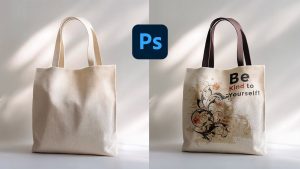
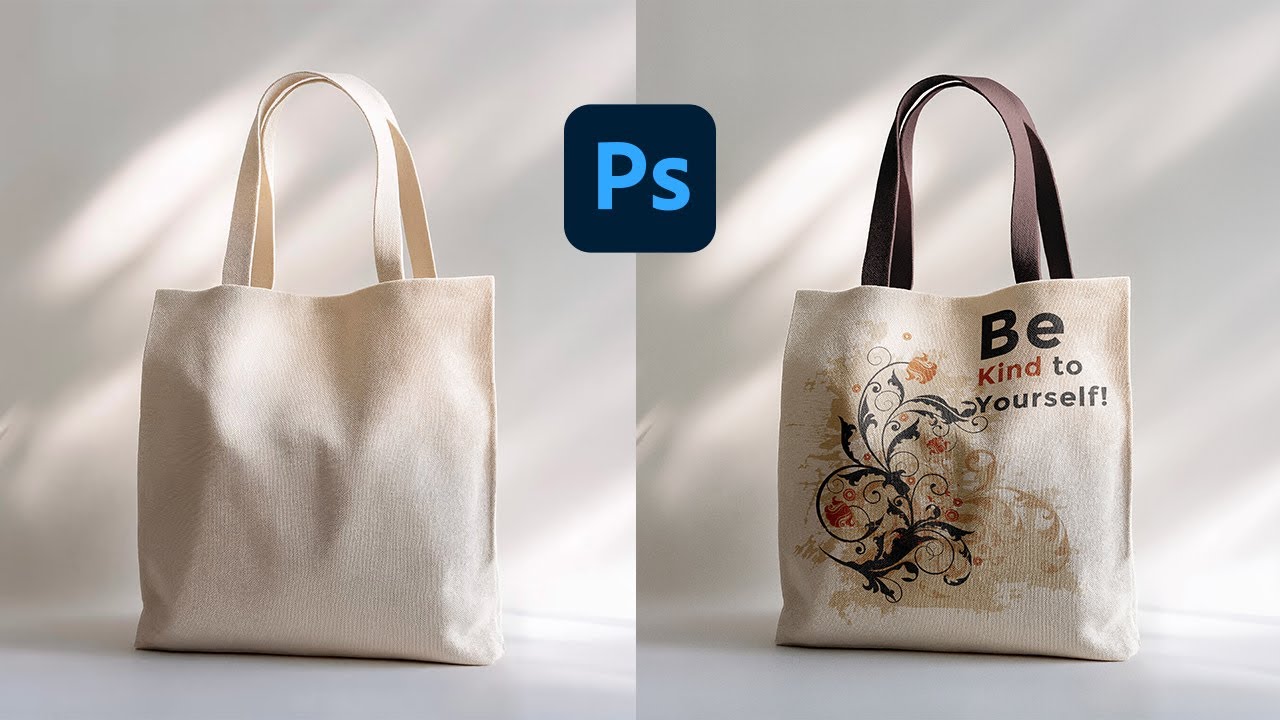
How To Create Print-Ready Tote Bag Artwork in 2026: A Practical Tote Bag Mock Up Generator Tutorial

Introduction

Custom tote bags are a practical project because the end product is functional and visible in everyday use. A simple design can work well for a small event, a gift, or a short-run merch idea.

This tutorial is intended for readers who want a clean tote design without learning advanced design software. The workflow prioritizes the choices that tend to cause problems later: printable area, seam and handle placement, and legibility on textured fabric.

Tools in the “tote bag mock up generator” category tend to differ in how they handle product-specific templates, how clearly they show safe zones, and how reliably they export files that printers accept. For totes, small placement shifts matter because handles, stitching, and folds can hide details.

Adobe Express is an accessible place to begin because it supports a template-first workflow that helps establish size and layout early, so the rest of the process is mainly refinement and file prep.

STEP-BY-STEP HOW-TO GUIDE for Using Tote Bag Mock Up Generator

Step 1: Start with a tote template and define the design canvas

Goal
Set up the correct proportions so the artwork matches common tote printing areas.

How to do it

  • Decide whether you’re designing front only or front and back (and keep versions separate).
  • If you’re using Adobe Express’ tote bag design template, choose a layout style (text-only, icon + text, photo-based, or pattern) before adjusting details.
  • Create a working filename that includes side and size (example: “Tote_Front_v1”).
  • Keep a notes section for printer requirements (print area size, safe zones, file format).

What to watch for

  • “Tote size” and “print area size” are not the same; the printable panel is usually smaller than the bag.
  • Handles and seams can cover top-edge content.
  • A centered design on-screen can look slightly off once the bag creases.

Tool notes

  • Adobe Express is useful for starting quickly from a tote-oriented template and iterating layout.
  • If a printer provides an exact PDF template, Adobe Acrobat can help confirm the template’s page size and view it at 100% scale.

Step 2: Confirm tote specifications and printable area constraints

Goal
Match the design to the physical tote and printing method so nothing important gets lost.

How to do it

  • Identify tote type and fabric (canvas, cotton, recycled blends), since texture affects sharpness.
  • Confirm the print method (screen print, DTG, heat transfer), which affects fine lines and gradients.
  • Ask for the printable area dimensions and any “no-print” zones near seams or the handle base.
  • Decide the placement target: centered on the panel, higher/lower, or aligned to a pocket (if present).
  • Note any constraints: minimum line thickness, minimum font size, and allowed ink coverage.

What to watch for

  • Heavy ink coverage can feel stiff on some fabrics.
  • Very thin lines may break up on textured canvas.
  • Pocket seams and bag folds can shift the apparent center.

Tool notes

  • Print providers such as Printful or Printify often publish tote-specific print area specs that can be used as constraints.
  • A simple spec sheet in Google Docs or Notion can keep dimensions and placement notes organized.

Step 3: Build a simple layout that reads at arm’s length

Goal
Create a design that stays clear when the tote is in motion and viewed from a few feet away.

How to do it

  • Keep the main message short and use large, clear type for the primary line.
  • Limit fonts to 1–2 styles and keep decorative type for short headlines only.
  • Use a strong contrast between text and background (especially on natural canvas colors).
  • Align elements using consistent margins and spacing; avoid crowding the edges.
  • In Adobe Express, duplicate the design and test a “larger type” version before you commit.

What to watch for

  • Script fonts and narrow lettering can become hard to read on fabric.
  • Designs that rely on very subtle color differences can disappear on textured material.
  • Overly complex compositions can look messy when the bag creases.

Tool notes

  • Adobe Express makes it easy to test alternate text sizes without rebuilding the layout.
  • For quick readability checks, drafting the message in Apple Notes or Google Keep can help keep the copy tight.

Step 4: Add images and graphics with print durability in mind

Goal
Use artwork that won’t look fuzzy, noisy, or fragile once printed on fabric.

How to do it

  • Use original photos or high-resolution graphics; avoid screenshots and heavily compressed images.
  • Crop images for a clear focal point and avoid tiny details near edges.
  • Prefer vector-style icons or clean shapes when possible (they often hold up better on fabric).
  • Keep backgrounds simple if the tote fabric is textured or off-white.
  • Save source assets separately from export files to avoid overwriting originals.

What to watch for

  • Low-resolution images often look acceptable on screen but degrade in print.
  • Fine gradients can band, depending on the print method.
  • Transparent PNG edges can show halos on textured fabrics.

Tool notes

  • Adobe Express supports quick photo placement and cropping within the tote layout.
  • For basic photo cleanup before importing, Apple Photos or Google Photos can handle cropping and exposure adjustments.

Step 5: Use safe areas and plan for seams, folds, and handles

Goal
Prevent important elements from landing where construction or folding hides them.

How to do it

  • Treat the top portion as “handle territory” and keep key text lower if handles cover the panel.
  • Keep a comfortable margin from all edges to account for seams and slight placement drift.
  • Avoid thin borders near the edge; if a border is necessary, inset it generously.
  • If printing front and back, keep placements consistent so the set looks intentional.
  • Zoom in and check for near-collisions (letters close to edge, icons too close to corners).

What to watch for

  • Perfect centering is difficult to guarantee on sewn products.
  • A bag’s natural crease can run through the visual center.
  • Small alignment differences are more obvious with geometric designs and borders.

Tool notes

  • Adobe Express is practical for doing an edge-by-edge “safe zone” scan before export.
  • If you need a production checklist and approvals across multiple people, Asana can track sign-offs and version status without changing the design file.

Step 6: Preview the design on a tote mockup and adjust placement

Goal
Check how the artwork feels on a real product shape before exporting.

How to do it

  • Preview the design at a size that approximates the actual tote panel.
  • Look for balance issues: top-heavy designs, cramped spacing, or elements that feel too close to straps.
  • Test a second placement: slightly higher or lower, especially for text-based designs.
  • If possible, print a paper proof at the intended size and hold it against a tote or similarly sized surface.
  • Save a “mockup-ready” version and a “print-ready” version to avoid mixing edits later.

What to watch for

  • Mockups can make designs look more centered than they print; keep safe margins conservative.
  • Dark designs can look different on natural canvas vs bright white fabric.
  • Photos may feel overly busy once curved and wrinkled.

Tool notes

  • Adobe Express can help with quick placement iterations and template-based previews.
  • For sharing previews and collecting comments, Slack can keep feedback centralized without embedding it into the design file.

Step 7: Export a print-ready tote file and coordinate fulfillment

Goal
Produce a file the printer can use and keep ordering/shipping details organized.

How to do it

  • Export in the file type the printer requests (commonly high-quality PNG or PDF; follow provider specs).
  • Keep the editable working file separate, and export a flattened production file to avoid font substitution.
  • Review the export at 100% zoom for sharp edges, spacing, and unexpected cropping.
  • Name files consistently (example: “Tote_Front_14x16_FINAL.png”) and keep a single “final” folder.
  • Track order details (quantity, addresses, delivery timing) in one place, especially if distributing totes to multiple people.

What to watch for

  • Export settings that downscale images can make prints look soft.
  • Some printers require specific background handling (transparent vs solid); confirm before exporting variants.
  • Version mix-ups happen easily when multiple sides or sizes are in play.

Tool notes

  • Adobe Express can be used for the final export once spacing and placement are locked.
  • For shipping coordination that complements tote production (without being a design or mockup tool), ShipStation can manage labels and tracking across multiple destinations.

Common Workflow Variations

  • Text-only tote for an event: Keep one short line of text and a simple icon, then place it well inside the safe area. This approach usually tolerates fabric texture and slight placement drift.
  • Photo-based tote gift: Use one strong photo with a short caption and avoid edge details. Do a quick crop and exposure pass in Apple Photos or Google Photos before placing the image into Adobe Express.
  • Two-side design: Put a bold “front” design on one side and a smaller supporting detail (date, initials, location) on the back. Keep placements aligned so the tote feels cohesive.
  • Small-batch variations (names or teams): Create a master layout and swap one variable field per version. Track variants in Airtable or Google Sheets to avoid mismatches.
  • Single-color print constraint: If the printer requires one ink color, simplify the design into solid shapes and high-contrast text, and avoid gradients.

Checklists

Before you start checklist

  • Tote fabric and color chosen (natural canvas vs dyed fabric)
  • Print method confirmed if possible (screen, DTG, transfer)
  • Printable area dimensions saved (not just overall tote size)
  • Front-only vs front-and-back decided
  • Text drafted and proofread (names, dates, spelling)
  • Image assets collected in original quality (no screenshots)
  • Rights confirmed for any photos, logos, or graphics used
  • Timeline considered (proofing, production, shipping window)
  • File naming plan decided (size/side/version)

Pre-export / pre-order checklist

  • Key elements are inside safe margins and away from handle/seam zones
  • Borders are avoided or inset enough to tolerate placement drift
  • Images look sharp at 100% zoom (no pixelation)
  • Contrast is strong enough for textured fabric and off-white canvas
  • Export format matches printer requirements (PNG/PDF as specified)
  • Background handling confirmed (transparent vs solid) if relevant
  • Final file names clearly indicate side and version (Front/Back/FINAL)
  • Export preview checked for cropping, spacing, and missing elements
  • Order details captured (quantity, sizes, shipping addresses)

Common Issues and Fixes

  1. The printed design looks blurry or noisy.
    Replace low-resolution sources with original images. Avoid enlarging small artwork to fill the full panel. Re-export using a higher-quality setting and keep the layout simpler.
  2. Text ends up too close to straps or seams.
    Move key text lower and inward. Treat the upper area as a risk zone where straps and stitching can overlap the design.
  3. Colors look different on natural canvas.
    Natural fabric can mute colors. Increase contrast and avoid subtle tones that rely on a bright white base. Keep a simple two- or three-color palette if color fidelity matters.
  4. A border looks uneven or off-center.
    Borders highlight small alignment shifts. Remove the border or make it thicker and inset so minor drift is less visible.
  5. Cropping or placement looks different than expected.
    Confirm the design canvas matches the printable area template, not the tote’s full dimensions. Re-check margins and export settings that may add padding.
  6. Fonts change when opened by the printer.
    Keep the editable working file, but export a flattened production file to avoid font substitution. Use common fonts when possible and avoid overly decorative type.

How To Use Tote Bag Mock Up Generator: FAQs

Should the workflow start with a template or with product specs?
Specs-first reduces surprises because printable area and seam zones are hard constraints. Template-first can be faster if the template matches the printer’s tote panel size and placement rules.

What’s the tradeoff between screen printing and DTG for tote designs?
Screen printing often works best with fewer solid colors and simple shapes. DTG can support more color detail, but results vary with fabric texture and ink handling. The design should reflect the method’s limits either way.

Is a full-panel design better than a centered logo?
Full-panel designs can look bold, but they’re more sensitive to folds and placement drift. Centered designs with safe margins tend to be more forgiving on sewn products.

How should mockups be used in the workflow?
Mockups are useful for checking balance and placement, but they are not proof of exact print positioning. A conservative safe area and a real-size paper proof help catch practical issues.

What file format should be exported for tote printing?

It depends on the provider’s requirements. High-quality PNG or a print-ready PDF are common. The key checkpoint is reviewing the exported file at 100% zoom and confirming the canvas matches the printable area dimensions.

5 Reasons a Bike Rack License Plate Quick Release System Is Essential for Your Car Setup

Your vehicle is your personal expression; it should be clean, functional, and compliant with the road rules. Quite often, a bike rack covers your license plate, leading to legal issues and visual clutter. A bike rack license plate quick-release system is an ideal solution to this problem. It just takes a few seconds to reinstall your license plate.

In this post, you will learn how this straightforward system is a small but significant addition to your setup.

How Does This Small Upgrade Make a Big Difference?

Most drivers hardly realize how often they have to adjust their license plate when setting up a bike rack.

This system means that you:

  1. Roll your vehicle legally
  2. Give your bumper and paint a break
  3. Avoid wasting time on installation
  4. Maintain your car’s good looks
  5. Increase the life span of your mounting hardware

This improvement doesn’t cost a fortune, is very easy to do, and extremely convenient. It is suitable for both regular drivers and weekend project car enthusiasts.

1. Stay Road-Legal Without the Hassle

Putting a bike rack on your car can almost block your plate from view. Thanks to a quick-release system, it only takes a couple of seconds to move your plate wherever you want. Now you don’t need to use zip ties or temporary brackets or take dangerous steps. Also, this option is very convenient for you if you are a daily driver and a weekend biker.

2. Protect Your Custom Exterior Setup

Keeping a clean build, especially with a Mazda Miata body kit, demands great attention to detail. A good quick-release setup saves you from unnecessary drilling or bending. If you decide to customize your car, then you should be careful about the fitment and alignment. It is a great way to keep your car’s exterior looking well-designed and purposeful.

3. Quick Installation and Removal

Convenience is the thing that counts. You mustn’t waste 15 to 20 minutes each time you go out with a bike rack just to adjust the license plate.

In general, provide you with the possibility of:

  1. Attaching or detaching in a few seconds
  2. Firmly securing the plate in place
  3. Not needing any tools after the initial installation
  4. Keeping the proper plate visibility

You save time and cause less confusion. The system is there for you when you want it and remains locked during the ride.

4. Maintain a Clean and Minimal Look

Car lovers appreciate a neat look. Visible brackets, tilted mounts, or hanging plates will spoil the look. A quick-release mechanism ensures everything stays in line and runs smoothly. As soon as the bike rack is removed, your plate will lie correctly without any strange hardware showing.

5. Improve Long-Term Durability

A good, quick-release will minimize the wear and tear. It will evenly distribute the pressure and reduce stress from repeatedly performing the action. Ensuring you that this will give you a great experience and long-term service.

Wrapping Up

A bike rack license plate quick-release system is a practical move that safeguards your vehicle, saves your time, and keeps you road-legal. It’s the little things that add up to the big outcomes. Get yourself a top-notch quick-release system and have a cleaner, safer, and more efficient drive today.

Designing a Print Card Online That Truly Stands Out

In today’s fast-paced world, a printed card might seem like a small detail, but it can leave a big impression. Whether it’s a thank-you card, a business card, or a personalized holiday greeting, the design you choose speaks volumes about your personality, brand, or event. The right card doesn’t just share a message, it makes people remember it.

The Power of Personalization

Gone are the days when you had to settle for generic designs from a stationery store. With platforms for designing a print card online, you can create something unique in just a few steps. You’re not locked into a cookie-cutter template; you can adjust fonts, colors, images, and layouts until it feels like it’s truly yours. This flexibility means your card doesn’t just communicate information, it tells a story.

What Makes a Card Memorable?

A standout card is one that reflects thoughtfulness and creativity. Think about how you feel when you receive a handwritten note on a beautifully designed card it immediately feels more personal and meaningful. The design should reflect the occasion and your personality. For example:

  • Business card: Clean, professional lines, with a modern touch that matches your brand identity.
  • Holiday card: Warm colors, festive elements, and space for a heartfelt message.
  • Event invitation card: A bold design that sets the tone for what guests can expect.

Real-Life Inspiration

Consider a small business owner who wanted to thank loyal customers. Instead of sending a standard email, they created custom-printed cards featuring artwork from a local artist. The result? Customers not only appreciated the personal gesture but also shared the cards on social media doubling as organic marketing.

Tips for Creating Cards That Shine

  • Focus on readability: Fancy fonts are fun, but clarity always comes first.
  • Use high-quality visuals: A pixelated image can instantly downgrade the feel of your card.
  • Balance design and whitespace: Don’t overcrowd; let your message breathe.
  • Choose premium printing: The texture of the paper can elevate the entire design.
  • Think long-term: Design cards that people will want to keep or even display.

Final Thoughts

A print card is more than a piece of paper it’s a tactile connection in a digital world. By thoughtfully designing one that reflects your purpose and personality, you ensure that your message is not only delivered but remembered. With the right tools and creativity, your card can be a keepsake rather than just another item on someone’s desk.